

How strong are your e-commerce ops? Take the 2-min scorecard.
Score Your OpsYour store got breached last Tuesday. You just don't know it yet.
That's not fearmongering. It's the reality for thousands of ecommerce sellers running on Shopify, Shopee, Lazada, and TikTok Shop with marketplace API keys stored in shared Google Docs, admin passwords reused across platforms, and third-party apps with permissions nobody has reviewed since installation.
An ecommerce security audit isn't a one-time compliance checkbox. It's a systematic review of every point where your store, your data, and your customers' information could be compromised. For multi-channel sellers, the attack surface is larger than most teams realize — every marketplace connection, every API integration, every team member with seller center access is a potential entry point.
This guide walks through a complete ecommerce security audit. What to check, where the real risks live, and how to prioritize fixes when everything feels urgent.
What Is an Ecommerce Security Audit?
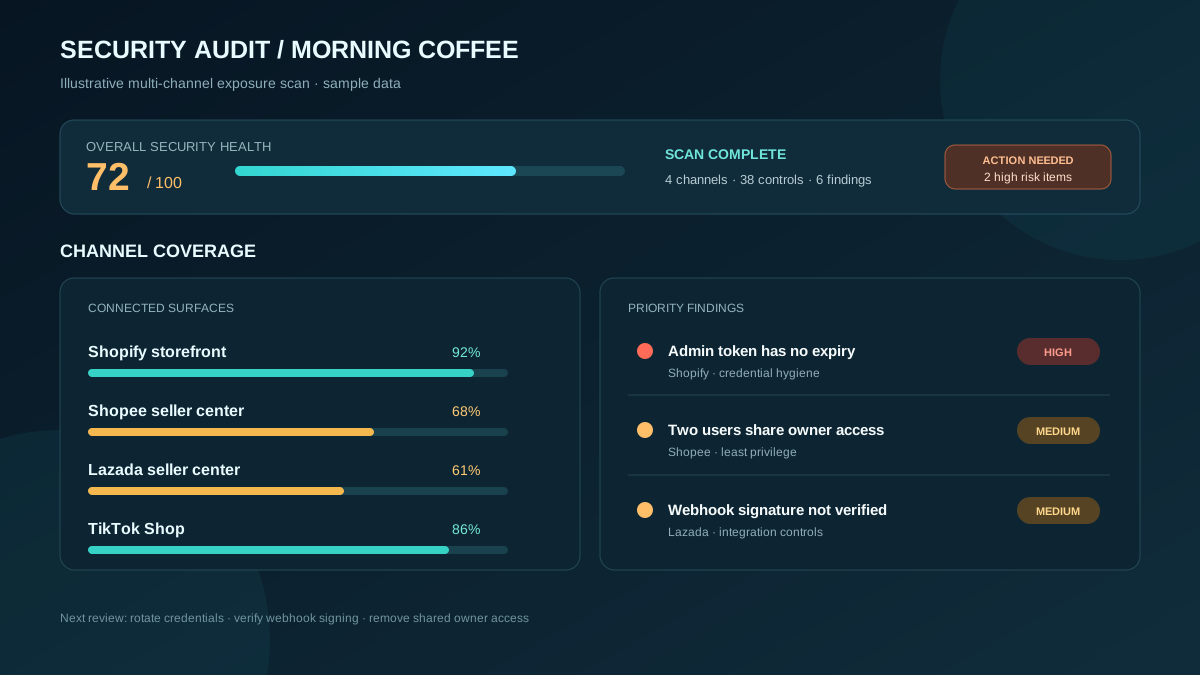
An ecommerce security audit is a structured review of your online store's systems, integrations, access controls, and data handling practices to identify vulnerabilities before attackers exploit them.
A security audit for ecommerce covers more ground than a typical website security scan. You're not just checking for SQL injection on your Shopify theme. You're reviewing:
- Marketplace account access — who has admin credentials, are they using 2FA, when was the last password rotation?
- API integrations — which apps and services have access to your store data, what permissions do they hold, are any keys exposed?
- Payment processing — how customer payment data flows through your systems, where it's stored (it shouldn't be), and whether your checkout is vulnerable to skimming attacks
- Team access controls — who can see what, who can change what, and whether former employees still have access
- Data storage and handling — customer PII, order history, and financial data — where it lives and who can reach it
The audit produces a list of vulnerabilities ranked by severity and exploitability. Then you fix them, starting with the ones that would cause the most damage.
If you're running ecommerce operations across multiple channels, your security surface multiplies with every platform you add. Each marketplace is another set of credentials, another API connection, and another place where a misconfiguration can expose your business.
Why Do Ecommerce Businesses Need Security Audits?
Because the cost of a breach — financial penalties, platform suspension, and customer trust destruction — exceeds the cost of prevention by 10-50x.
The numbers are stark. The average cost of a data breach for a small business is $120,000-$150,000 when you factor in investigation, remediation, customer notification, and lost revenue. For an ecommerce business selling on multiple marketplaces, add platform penalties and potential account suspension.
Here's what's actually at risk:
| Asset | What Happens If Compromised | Recovery Time |
|---|---|---|
| Marketplace admin credentials | Attacker changes payout bank, drains balance | Days to weeks (platform investigation) |
| API keys (Shopee, Lazada) | Unauthorized order modifications, data theft | Hours to days (key rotation + damage assessment) |
| Customer payment data | PCI fines, lawsuits, permanent trust damage | Months to never (reputation) |
| Product listing data | Competitors copy your listings, pricing | Ongoing problem |
| Supplier and cost data | Competitive intelligence leak | Cannot undo |
| Customer PII (names, addresses, phones) | PDPA/privacy law violations, fines | Weeks + legal costs |
The most common argument against regular audits: "We're too small to be a target." This is wrong. Automated attack tools don't check your revenue before trying default credentials or scanning for exposed API endpoints. Small and mid-size ecommerce sellers are targeted precisely because they're less likely to have security measures in place.
What Should an Ecommerce Security Audit Cover?
Seven areas: access controls, API security, payment processing, third-party apps, data handling, infrastructure, and marketplace-specific risks.
1. Access Control Audit
Start here because compromised credentials are the #1 attack vector for ecommerce businesses.
What to check:
- Every marketplace seller center account — who has access, what role level
- Your Shopify admin — list all staff accounts and their permissions
- Email accounts associated with store registrations
- Any shared credentials (this should be zero, but rarely is)
- 2FA/MFA status on every account
- Last password change date for every account
- Former employees or contractors who still have access
Red flags:
- Shared admin passwords stored in a spreadsheet or chat
- Any marketplace account without 2FA enabled
- Team members with admin-level access who only need viewer access
- No record of when passwords were last changed
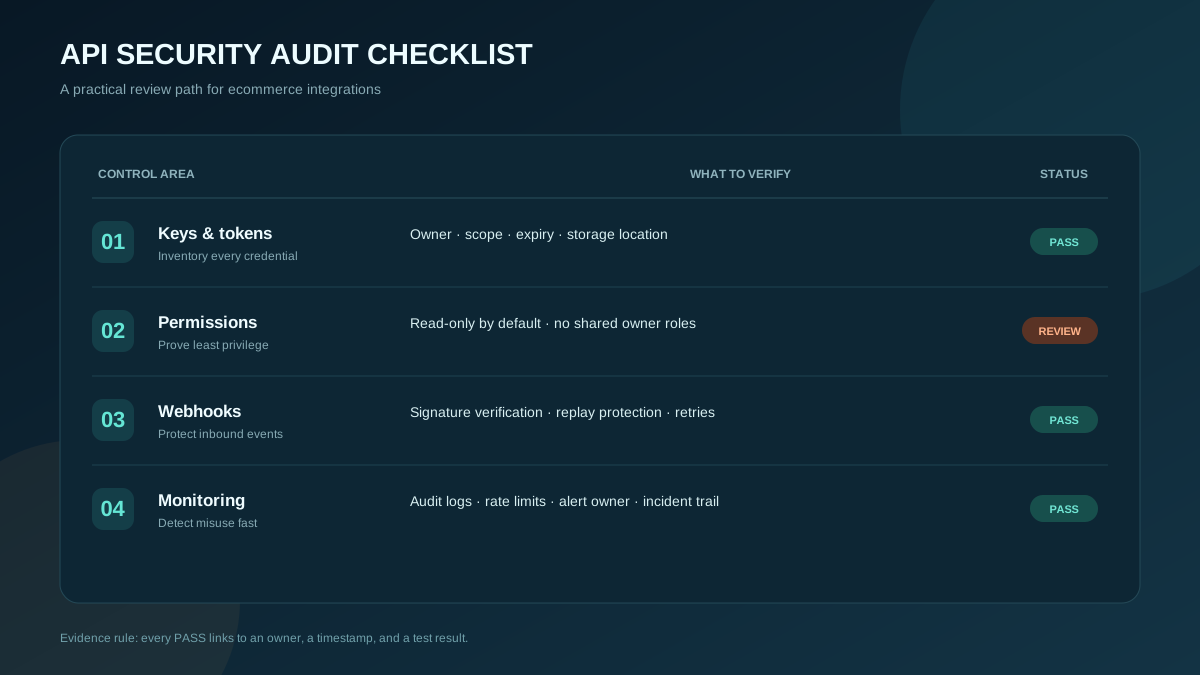
2. API and Integration Security
Every API connection is a door. Some are locked properly. Others are propped open with a sticky note that says "don't touch."
What to check:
- List every API key your business has issued or received
- Where each key is stored (environment variables vs. hardcoded vs. shared docs)
- What permissions each key grants (read-only vs. read-write vs. full admin)
- Whether keys have been rotated in the last 90 days
- OAuth tokens for marketplace integrations — expiration and refresh mechanisms
- Webhook endpoints — are they authenticated, or can anyone POST to them?
Red flags:
- API keys in code repositories (even private ones)
- Keys with broader permissions than needed
- No key rotation schedule
- Webhook URLs without signature verification
3. Payment Processing Security
If you handle payment data directly, you need PCI DSS compliance. If you use Shopify Payments or marketplace checkout, most of the heavy lifting is handled — but not all of it.
What to check:
- Payment flow architecture — does customer card data ever touch your servers?
- Shopify checkout customizations — any custom JavaScript that could be exploited for skimming
- Refund process — who can initiate refunds and is there an approval workflow?
- Payout account details — how are bank account changes verified?
- Third-party payment apps — are they PCI compliant?
Red flags:
- Any custom code that touches card numbers or CVVs
- Refund capability without approval for amounts over a threshold
- No alerts when payout bank details are changed
- Checkout page loading external scripts from unknown domains
4. Third-Party App Audit
The average Shopify store has 6-8 apps installed. Each one has some level of access to your store data. When was the last time you reviewed what they can see?
What to check:
- Complete list of installed apps across all platforms
- Permissions granted to each app
- Whether each app is still actively used
- App developer reputation and security track record
- Data sharing agreements — where does your data go?
- Apps that have been abandoned by their developers (no updates in 6+ months)
Red flags:
- Apps installed for a one-time task that are still active
- Apps with access to customer data that don't need it
- Apps from developers with no security contact or privacy policy
- Any app requesting more permissions than its function requires
5. Data Handling and Storage
Where does your customer data live? Who can access it? How long do you keep it?
What to check:
- Customer data locations — CRM, email marketing tool, spreadsheets, analytics
- Data export capabilities — who can export customer lists?
- Backup procedures — are backups encrypted?
- Data retention policy — how long do you keep order and customer data?
- Compliance with local privacy laws (PDPA in Singapore/Malaysia/Thailand, etc.)
Red flags:
- Customer data in unencrypted spreadsheets shared via email
- No data retention policy
- Backups stored without encryption
- No process for handling data deletion requests
6. Infrastructure Security
This applies primarily to sellers with custom storefronts, self-hosted systems, or server-side integrations.
What to check:
- SSL/TLS certificates — valid and properly configured on all domains
- Server and hosting security — patches, firewall rules, access logs
- DNS configuration — protection against hijacking
- CDN and caching configuration — no sensitive data cached publicly
- Email authentication — SPF, DKIM, DMARC configured to prevent spoofing
7. Marketplace-Specific Risks
Each marketplace has unique security considerations that don't appear in generic ecommerce security guides.
| Marketplace | Specific Risks | What to Audit |
|---|---|---|
| Shopify | App permissions, theme code injection, staff accounts | App audit, theme file review, staff account permissions |
| Shopee | Chat phishing, API key exposure, shared seller accounts | 2FA status, API key storage, team account separation |
| Lazada | Seller center access, API token management | Access logs, token rotation, role-based access |
| TikTok Shop | Newer platform with evolving security features | API permissions, content moderation access, account linking |
How strong are your ecommerce operations? Score your ops in 2 minutes — Take the free scorecard. No signup required.
How Do You Run an Ecommerce Security Audit?
Follow a four-phase process: inventory, assess, prioritize, remediate. Schedule it quarterly at minimum, and after any team change or new integration.
Phase 1: Inventory (Week 1)
Document everything. Every account, every integration, every person with access, every place customer data is stored. You cannot secure what you don't know about.
Create a master inventory spreadsheet with:
- All platform accounts and who has access
- All API keys and where they're stored
- All third-party apps and their permissions
- All data storage locations
- All team members and their access levels
Phase 2: Assess (Week 2)
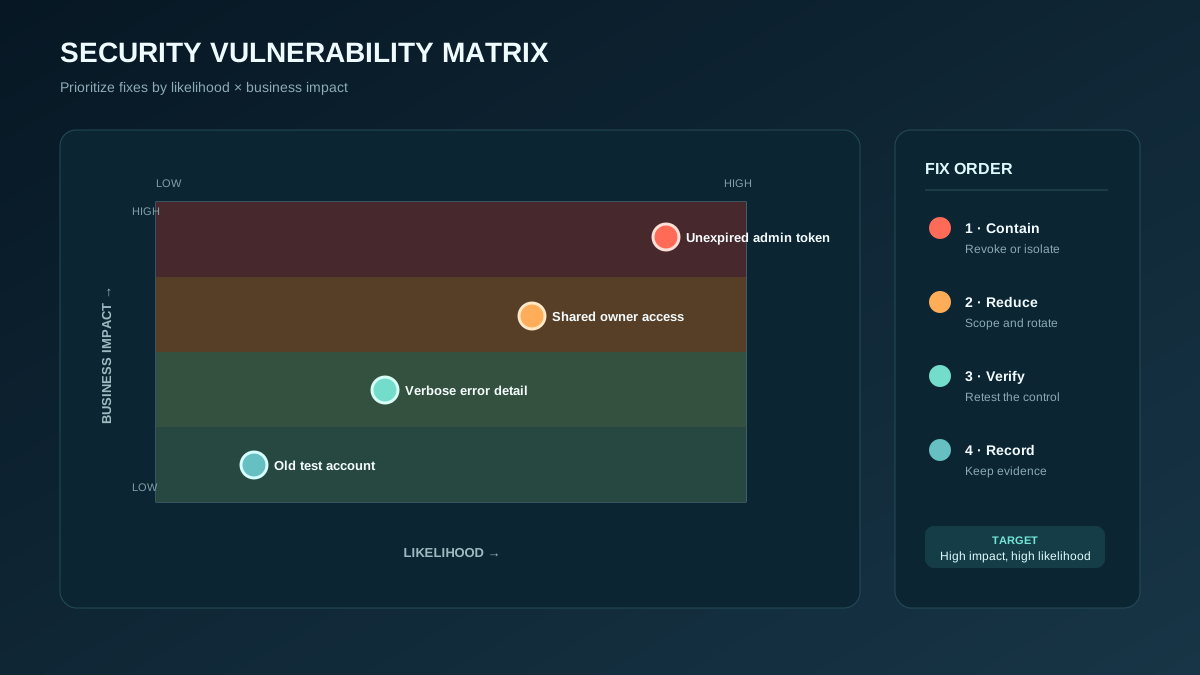
Walk through each audit area from the previous section. For every item, assign a risk rating:
| Rating | Criteria | Example |
|---|---|---|
| Critical | Actively exploitable, high impact | API key exposed in public repo |
| High | Exploitable with some effort, significant impact | No 2FA on marketplace admin |
| Medium | Requires specific conditions, moderate impact | App with excessive permissions |
| Low | Unlikely or low impact | Old brand asset accessible via direct URL |
Phase 3: Prioritize (Week 2-3)
Rank findings by risk rating and effort to fix. The goal is to close critical vulnerabilities immediately and create a schedule for everything else.
Phase 4: Remediate (Week 3-4)
Fix issues in priority order. Document what was changed and when. Verify fixes are effective. Update your security baseline.
Building this into a repeatable process is part of building an ecommerce operations playbook — security isn't separate from operations, it's one of the processes your team should run routinely.
What Are the Most Common Ecommerce Security Vulnerabilities?
Reused passwords, unrotated API keys, over-permissioned apps, and former employee access account for over 80% of ecommerce security incidents.
Let's be specific about what we see most often:
1. Password reuse across platforms. The seller center password is the same as the personal email password. An unrelated data breach exposes the email password. Now the attacker has marketplace access.
2. API keys in shared documents. The developer who set up the Shopee integration stored the API key in a Google Doc shared with the whole team. That doc has been shared externally three times for "collaboration."
3. Ghost access. A freelancer who built your Shopify theme two years ago still has staff access. A former employee's marketplace sub-account was never deactivated.
4. No 2FA. The marketplace account that processes $50,000/month in orders is protected by a password and nothing else.
5. Checkout script injection. A compromised Shopify theme app injects JavaScript that captures payment form data and sends it to an external server. This is called Magecart-style skimming and it's increasingly common.
6. Webhook endpoints without verification. Your order processing webhook accepts any POST request without verifying the signature. An attacker can submit fake orders or modify existing ones.
How Do You Secure Marketplace API Integrations?
Store keys in environment variables or a secrets manager, enforce least-privilege permissions, rotate keys every 90 days, and monitor API usage for anomalies.
API security deserves special attention because it's where most multi-channel sellers have the biggest gaps.
Key Management Rules
-
Never store API keys in code. Use environment variables or a dedicated secrets manager. If a key appears in a Git commit — even in a private repository — consider it compromised and rotate immediately.
-
Least-privilege permissions. If an integration only needs to read orders, don't give it write access to products. Every unnecessary permission is an unnecessary risk.
-
Rotate keys on a schedule. Every 90 days for standard integrations. Immediately when a team member with key access leaves.
-
Monitor usage. Set up alerts for unusual API activity — unexpected volume, requests from new IP addresses, or access patterns outside business hours.
-
Separate keys by environment. Never use production API keys in development or testing. Use sandbox/test credentials for non-production work.
Webhook Security
Every webhook endpoint should verify the request signature before processing. All major platforms (Shopify, Shopee, Lazada) provide webhook signatures. If your endpoint doesn't verify them, add verification today.
For teams building ecommerce automation, every automated process that touches API keys needs the same security treatment as manual access.
How Often Should You Run a Security Audit?
Full audit quarterly. Access review monthly. Credential rotation every 90 days. Immediate review after any team change, integration change, or security incident.
| Audit Type | Frequency | Scope |
|---|---|---|
| Full security audit | Quarterly | All seven areas |
| Access review | Monthly | Team accounts, permissions, deactivations |
| API key rotation | Every 90 days | All API keys and tokens |
| App permission review | Monthly | Third-party apps across all platforms |
| Incident-triggered audit | As needed | Affected area + adjacent systems |
| New integration review | Before activation | Security assessment of new tools/apps |
The quarterly full audit takes 2-3 days for a typical multi-channel seller with 3-5 team members. The monthly reviews take 1-2 hours. The cost of not doing them is measured in breach response fees and lost revenue.
How Do You Build a Security-First Culture in Your Ecommerce Team?
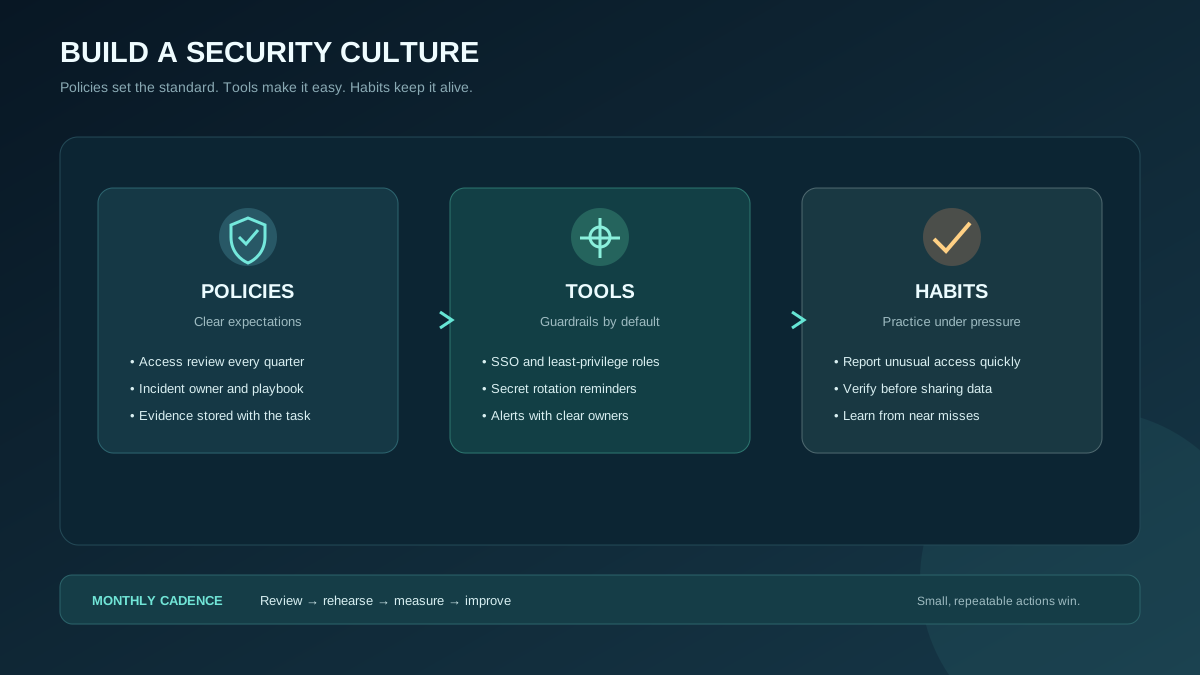
Security culture starts with making the right behavior easier than the wrong behavior. Password managers, SSO, and clear policies reduce friction so team members follow the rules without thinking about it.
Most security failures aren't malicious. They're convenient. A team member reuses a password because creating unique passwords is annoying. Someone shares an API key via Slack because the secrets manager feels like overkill. These shortcuts accumulate into vulnerabilities.
Practical Steps
1. Deploy a password manager. 1Password, Bitwarden, or similar. Every team member gets an account. Every credential goes in the vault. Shared credentials use the vault's sharing feature, not copy-paste in chat.
2. Write a one-page security policy. Not a 30-page corporate document. One page covering: password requirements, 2FA mandate, API key handling, app installation approval, and what to do if you suspect a breach.
3. Run quarterly access reviews. Block 30 minutes every quarter to walk through every platform and verify that every person with access still needs it.
4. Make incident reporting safe. If someone clicks a phishing link or realizes they shared a credential insecurely, they need to report it immediately without fear of punishment. The faster you know, the faster you can respond.
5. Test with phishing simulations. Send a realistic phishing email to your team once a quarter. Not to punish anyone who clicks — to identify where training is needed.
Frequently Asked Questions
Do I need a professional security auditor for my ecommerce store?
For most small to mid-size sellers, no. The audit framework in this guide covers the practical risks. Run it yourself quarterly. If you process high volumes (1000+ orders/day), handle payment data directly, or operate in regulated categories, bring in a professional for an annual assessment. The investment is typically $2,000-$10,000 depending on scope.
What's the first thing I should fix after a security audit?
Any account without two-factor authentication. It takes five minutes per account and eliminates the most common attack vector. After that, deactivate any access for people who no longer need it — former employees, old contractors, unused apps.
How do I know if my Shopify store has been compromised?
Check for: unexpected admin users, theme files modified without your knowledge, unfamiliar apps installed, external scripts loading on your checkout page, and payout bank details that don't match your records. Shopify's activity log (Settings > Activity log) shows every admin action — review it weekly.
Are marketplace seller centers secure enough on their own?
The platforms themselves are reasonably secure. The vulnerabilities are in how sellers use them — weak passwords, no 2FA, shared credentials, and over-permissioned team accounts. The marketplace provides the lock; you still need to use it properly.
What's the biggest security risk for multi-channel sellers specifically?
Credential sprawl. Every marketplace is another username and password. Every API integration is another key. Every team member needs access to multiple platforms. Without a systematic approach to access management, credentials end up shared, reused, and forgotten about — each one a potential entry point.
Keep Reading
- What Is Ecommerce Operations? — Security is one pillar of a complete operational framework
- Building an Ecommerce Operations Playbook — Turn security audits into repeatable team processes
- Ecommerce Automation Guide — Secure your automated workflows and API integrations
Find out what your operation is missing
Answer 10 questions. Get your ops score. Takes 2 minutes.
Take the Scorecard